
LiteStats vs Simple Analytics: two reporting models to evaluate
A free plan and a simple dashboard are available from more than one vendor. Compare the limits, how visits are calculated and the reporting workflow you actually need before choosing.
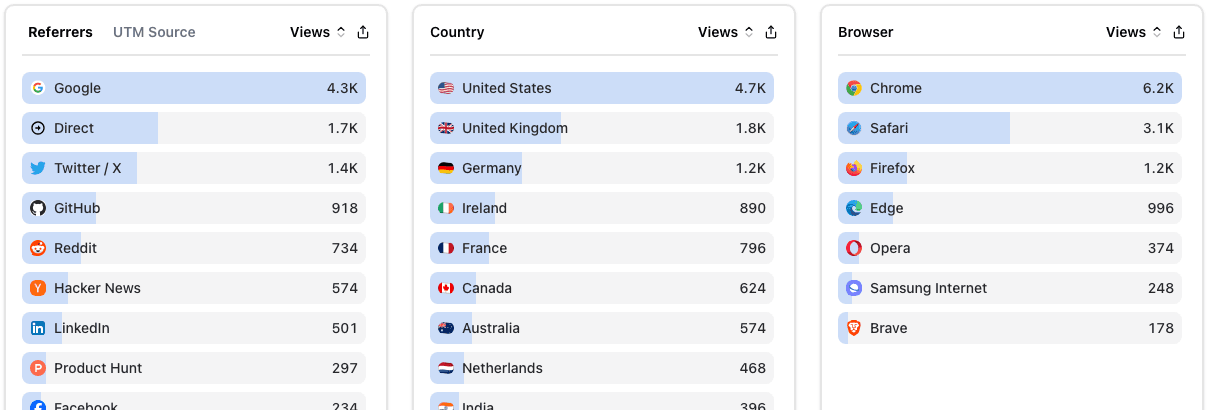
Both offer a free plan—with different limits
LiteStats Free includes one website, 1,000 monthly pageviews and 30-day rolling history. Collection pauses at the monthly limit. Custom events and MCP require a paid plan; campaign breakdowns, exports and funnels require Pro.
Simple Analytics’ pricing page lists a free hobby plan with five websites, one user, one month of history and a required badge. Its FAQ describes pageviews as unlimited subject to fair use. Check eligibility and current conditions directly; LiteStats does not have the larger free allowance in this comparison.
A page-load ID and no visitor IDs are different designs
Simple Analytics’ homepage says it records pageviews and events without visitor IDs and calculates session starts from pageview context. Its measurement definitions should guide interpretation of its reports.
LiteStats uses a random ID held in memory while a document stays loaded. That ID resets on full navigation and reload; SPA routes can share it. This enables ordered in-document funnels on Pro, but does not identify returning people or connect independent page loads. Historical reports can also include older session counts with different boundaries.
Are you replacing GA4 or running alongside it?
Simple Analytics currently positions its service as a cookieless dataset to compare alongside GA4, with an assisted proof of concept for business teams. It also documents API, export and BI workflows. Review its integration directory if those are central to your reporting.
LiteStats is useful when a focused website dashboard is enough. Paid MCP access lets an assistant query permitted aggregate data; Pro adds CSV/JSON exports. LiteStats currently has no GA4 data importer or direct Search Console connection. It does not replace a warehouse or every GA4 integration.
Privacy claims need implementation details
The LiteStats tracker uses no analytics cookies, persistent browser storage or fingerprinting. It filters paths, reduces referrers to hostnames and estimates country from time zones. Personal data can still appear in labels or paths despite filtering; infrastructure logs need separate review.
Read both vendors’ documentation and your own deployment settings before drawing a consent conclusion. The LiteStats privacy guide explains the distinction between customer-site tracking, the signed-in app and hosting arrangements.
What would make LiteStats a fit?
Choose based on the demo, plan limits, metric definitions and integrations you need. LiteStats may fit a small site within its Free limit or a paid workflow built around its dashboard and MCP connection. Simple Analytics deserves consideration for its larger hobby allowance and its documented GA4 comparison and BI use cases.
Simple Analytics sources reviewed on 18 October 2026. Currency and pricing presentation can vary; consult the linked pricing page for a quote matching your workload.
See whether LiteStats fits your website
Free includes one website, 1,000 monthly pageviews and 30-day rolling history. No credit card required.
Compare LiteStats plans