
A Google Analytics alternative for everyday website questions
If you mainly want to know which pages get traffic and where visits come from, LiteStats offers a focused dashboard. Compare the reporting model with your actual GA4 workflows before switching.
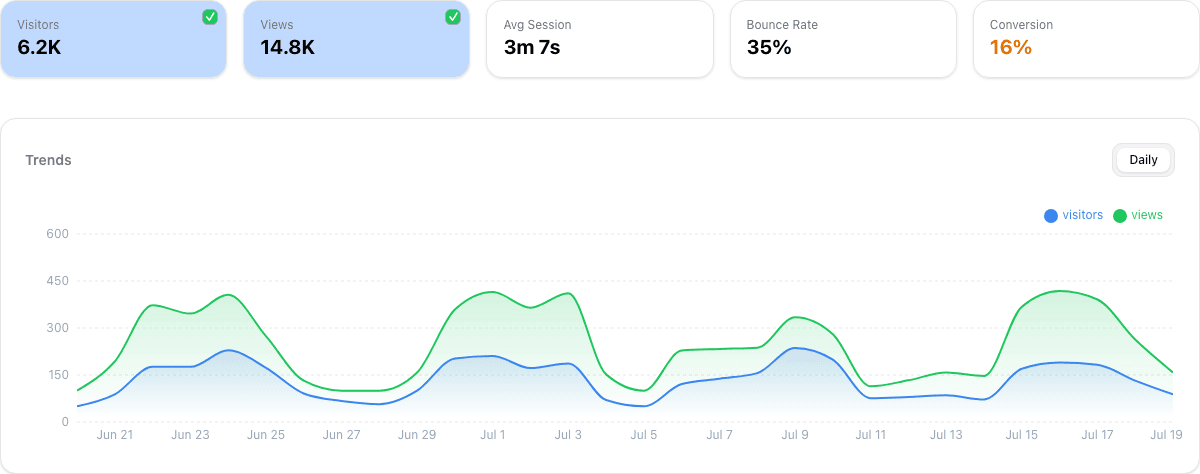
Choose by the decisions you need to make
LiteStats puts pageviews, visit estimates, top pages, referrers and device reports in one place. Paid plans add custom events and read-only MCP access for AI assistants; Pro adds UTM campaign reports, exports and document-scoped funnels. You can inspect the sample-data demo without an account.
Google Analytics supports website and app measurement, ecommerce instrumentation, reporting APIs and audience workflows. If those are central to your business, list the reports and integrations you use before replacing them. Google’s developer overview describes these capabilities.
LiteStats and GA4 measure different things
LiteStats does not build persistent visitor identities. Its random page-load ID stays in memory and resets on reload or full navigation. SPA route changes can share the ID. “Visitors” estimates visits, including older historical sessions where available; it does not count unique people.
This affects conversions. A LiteStats Pro funnel can follow ordered steps within one document, but cannot connect a full navigation, return visit or another device to the same person. Do not expect a one-to-one match with a GA4 user, session or attribution report.
Compare privacy settings without blanket claims
The LiteStats tracker uses no cookies, persistent browser storage, fingerprinting or IP-derived IDs. It respects DNT and GPC by default. Infrastructure logs and the account application are separate from the customer-facing tracker.
GA4 behavior depends on its configuration and consent state. Google documents both cookies and cookieless pings in Consent Mode. Neither the name of a product nor the absence of analytics cookies establishes your website’s compliance. Review LiteStats privacy considerations for your deployment.
Run a small evaluation before replacing GA4
- Write down your essential questions: traffic sources, landing pages, campaign results or in-document interactions.
- Install LiteStats on a testable page and record known visits. Verify reload, full navigation, SPA routing and privacy opt-outs separately.
- Compare matching dates and pageviews. Explain differences in collection and metric definitions before comparing totals.
- Review dependencies on GA4-specific reports and export the historical records you need before removing an existing setup.
LiteStats currently has no GA4 historical-data importer. Starting collection does not bring your existing GA4 history into LiteStats.
Start free, then choose the reports you need
Free includes one website, 1,000 monthly pageviews and 30-day rolling retention. Custom events and MCP require a paid plan; campaign reporting and funnels require Pro. See current LiteStats pricing and the metric definitions before deciding.
Google product sources reviewed on 18 October 2026. LiteStats capabilities checked against the current repository. This guide does not claim feature parity.
See whether LiteStats fits your website
Free includes one website, 1,000 monthly pageviews and 30-day rolling history. No credit card required.
Compare LiteStats plans